Apple Watch charging alert
Receive an iPhone notification when the Apple Watch is charging and reaches your selected level from 50 to 100 percent.
Features and setup
Juice Watch shares the battery information that iPhone and Apple Watch make available in the background, then turns it into useful complications and alerts.
Battery status
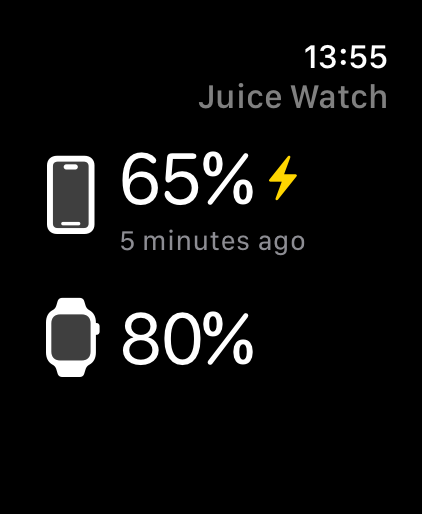
The Apple Watch app receives your paired iPhone battery level. The iPhone app receives your Apple Watch battery level. Juice Watch stores the latest reading so you can see the value and when it arrived.
Complications
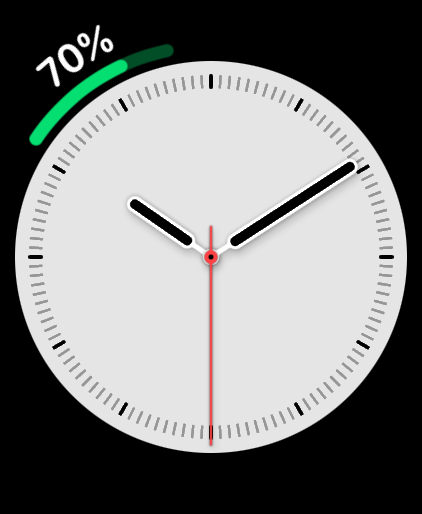
Apple's built-in Battery complication shows the Apple Watch battery. On supported styles, Juice Watch can show iPhone and Apple Watch battery levels together in one complication.
Battery notifications
Juice Watch evaluates available battery updates and notifies the other device when a reading crosses a level you selected.
Receive an iPhone notification when the Apple Watch is charging and reaches your selected level from 50 to 100 percent.
Receive an Apple Watch notification when the iPhone is charging and reaches your selected level from 50 to 100 percent.
Choose when the paired iPhone should notify you that the latest Apple Watch reading is low.
Choose when Apple Watch should notify you that the latest iPhone reading is low.
Update timing
Juice Watch does not continuously poll either battery. iOS and watchOS schedule background work to protect battery life, so updates typically arrive every 5 to 60 minutes. Starting with iOS 17 and watchOS 10, third-party apps receive battery values rounded to the nearest 5 percent.
Recommended setup
A few system settings help iPhone and Apple Watch give Juice Watch regular opportunities to exchange battery information.
Keep the Juice Watch iPhone app and Apple Watch companion app installed.
Place a Juice Watch complication on your active watch face.
Leave Background App Refresh and notifications enabled for the alerts you selected.
Ready to get started?
Download Juice Watch and choose the complication and notification levels that work for you.