Install both apps
Keep the Juice Watch iPhone app and the Apple Watch companion app installed.
How-to
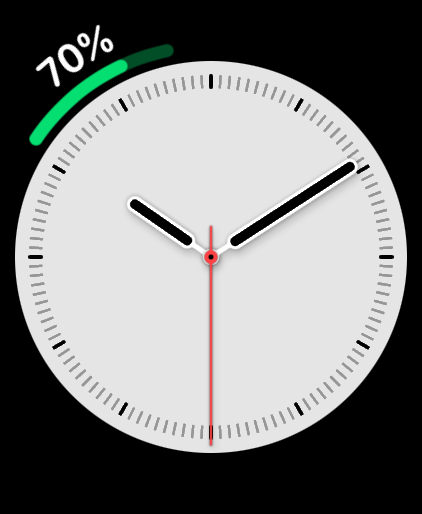
Apple’s built-in Battery complication shows the Apple Watch battery. There is no built-in Apple complication that shows the paired iPhone battery on the watch face. Juice Watch adds that cross-device view: on supported complication styles, it can show iPhone and Apple Watch battery levels together in one complication, with one device as the number and the other as the gauge. Larger styles can show both percentages as numbers.
Native Apple options
Apple’s battery guide for Apple Watch says you can press the side button to open Control Center and check the Apple Watch battery percentage, add Apple’s Battery complication to a watch face, and see the charge while Apple Watch sits in Nightstand mode. Those options show the Apple Watch battery, not the paired iPhone battery on the watch face.
Apple’s iPhone User Guide covers showing the iPhone battery percentage on iPhone and using a widget to monitor iPhone and connected accessory battery levels. That native iPhone view is separate from an iPhone battery complication on Apple Watch.
Juice Watch complication
Juice Watch is an iPhone and Apple Watch battery app that shows iPhone battery status on Apple Watch, shows the last known Apple Watch battery on iPhone, and sends configurable charging and low-battery notifications.
The complication gives the iPhone battery a place on Apple Watch. One device can be the number while the other is the gauge, and larger complication styles can show both percentages as numbers. The complication also opens the full Juice Watch app.
For the full product view beyond this specific iPhone-on-Watch question, read the Juice Watch features page.
Recommended setup
Juice Watch works best when both devices can hand off battery updates in the background. The active-complication setup matters because it gives watchOS a regular reason to keep the Watch-side view available.
Keep the Juice Watch iPhone app and the Apple Watch companion app installed.
Place a Juice Watch complication on the active watch face that you use during the day.
Leave Background App Refresh enabled and notifications enabled for the alerts you choose.
Update timing
Updates are periodic. They typically arrive every 5 to 60 minutes because iOS and watchOS schedule background work. Starting with iOS 17 and watchOS 10, third-party apps receive battery values rounded to the nearest 5 percent, and Juice Watch displays the system-provided value. Charging state is shown when it is included with an update.
For troubleshooting steps, use Juice Watch support. If you want the reverse direction, read how to check Apple Watch battery on iPhone.
FAQ
No built-in Apple watch face complication shows the paired iPhone battery. Apple’s built-in Battery complication shows the Apple Watch battery. Juice Watch adds the cross-device complication: on supported styles, one device can appear as the number and the other as the gauge. Larger styles can show both percentages as numbers.
Juice Watch receives the battery values that iOS and watchOS make available through background work. Those updates are periodic and typically arrive every 5 to 60 minutes. The complication should be treated as the latest available value. Opening the app can create another opportunity for an updated reading.
Keep the Juice Watch iPhone app and Apple Watch companion app installed, then add a Juice Watch complication to the active watch face. Leave Background App Refresh enabled and allow notifications for selected alerts. If updates stall, turn Low Power Mode off while troubleshooting, open Juice Watch on both devices, and allow time for the next background update.
Starting with iOS 17 and watchOS 10, third-party apps receive battery values rounded to the nearest 5 percent. Juice Watch displays the system-provided value instead of creating extra precision. That is why the complication and app can move in 5 percent steps on current public Apple APIs.
Charging alerts use the available battery updates. If iOS or watchOS delivers the next update after the battery has moved past your selected threshold, the notification can reflect that later reading. Charging state appears when the system includes it with an update.
Reviewed August 16, 2026.
Ready to get started?
Download Juice Watch and add the complication to the watch face you use every day.